Posts mit dem Label Nokia werden angezeigt. Alle Posts anzeigen
Dienstag, 27. August 2013
WP 8 first try: Lumia 820
I decided to start with the Lumia 820 first, it looked like a good descision. A more than average specified Hardware with a 1,5 GHz dual core CPU that should be more than enough for any of my use cases. Nokias ClearBlack AMOLED screens are absolutely stunning and a 4.3' screen is big enough for me, though my Galaxy S3 already has a larger 4,8' screen. With 8GB internal storage and the option for up to 64 GB micro SDHC storage, I should have more than enough space for all my media which I like to have with me when I am on the road.
What I didn't know was, that the additional SD card storage can only be used for my own media which I might sync with the device. But it is not available for apps, so all data from apps like maps, podcatchers, Kindle, Audible have to fit into the internal storage. And this is only about 6GB, because the System already takes about 1,9GB. OK, I could have found out that before buying, if I had done some research. But this is so stupid, that I had never expected that.
But this is not the only drawback. In my intro, I wrote that I absolutely love Nokias design language. Especially their fabula design models like the good old N8, but also the Lumia 800 and 900. To make it short: the 820 has absolutely nothing of that. I ordered it in black, because I need a business device and that might be a bad decision. Without the logo, nothing gives the idea that this is a Nokia Lumia device. It's unstructured black back just looks cheap and overall it looks bulky. I payed EUR 420,- for it, but it looks like a low end plastic device which might costs the half of its price. And with a weight of 160g, it is quite heavy to. At this time, a competing Galaxy S3 was available for about EUR 380,-.
Nokia is probably the only Smartphone maker, who really takes care about the camera. But the 820's shooter is only average, on par with Android cameras in the sub 300,- EUR range. For that price, I expected more.
To be fair, Windows Phone 8 runs very smooth on this device. This was what I expected, because WP8 already runs fast on lower specified single core devices.
The next morning I decided not to give it a try. Overall I was disappointed by the Lumia 820. For less than, say, EUR 280,-, it might be a good enough device for many. But it is not worth more than EUR 400,- in my opinion, so I sent it back.
Samstag, 9. März 2013
Trying to #switch to Windows Phone 8 ... my review
What I always missed on Android were high quality devices with high quality extras and ecosystem. You'll get everything somewhere for Android, but it is sometimes a little messy. And the lack of widely accepted styleguides lets every app look like an app for a different system.
Apples iOS and the apps for it are much more consistent, but the Apple ecosystem is much too tigth for me, iOS is too feature-less and I don't find a fitting device in Apple's one-size-fits-all strategy. I hate to buy internal memory for an absurd price just because the manufacurer denies the usage of cheap SD-cards.
So could the Windows Phone ecosystem be the golden path in the middle, between Androids anarchy and Apple's jailhouse? I am highly attracted by Nokias ecosystem around it's Lumia line with wireless chargers, speakers and so on. I like their design language and their software extras. And I like Microsofts clean and clear modern UI (former Metro UI) design language. So why not give it a try? I decided to get a Windows phone device and try it to use it as my main device for some weeks.
Here is my review:
- WP 8 first try: Lumia 820
- The pretty Lumia 800
WORK IN PROGRESS ...
Freitag, 4. Februar 2011
Microsoft and Nokia: tying the Titanic to the iceberg
A few years ago, I told Palm to drop their own OS and build Android phones instead. They thought they know better and developed Web OS, failed where bought by hp and we will probably will see Web OS on hp's printer display [update]OK, they just launched some cool devices. But I doubt, that they will attract enough developers to make this a usefull platform. Even Microsofts chances are better with their Xbox base[update].
Now Nokia is about to announce a partnership with Microsoft next week [update]Now they did, see NokiaConversations[update]. They will probably announce Nokia smartphones running Windows Phone. Wow, a hardware producer who struggles to sell his devices because the potential customers dislike their outdated OS might switch to the only OS that customers dislike even more: Windows phone is a flop. This reminds me of a saying: It's like tying the Titanic to the iceberg. It'd keep you from sinking just long enough to freeze to death.
Let us look, what are the smartphone operating systems of choice: according to latest numbers, the Android market share grew some 615%. But according to Nokia executive Anssi Vanjoki, using Android would be like the Finnish boys who peed their pants for warmth – it would provide momentary relief but there would be bigger problems down the road.
I could not disagree more. I do like the Android OS, many do, but there is the disaster that no really good hardware is available. Look at all this Asian rubbish: low build quality, crappy cameras, missing camera buttons, if they offer hardware keyboards than the mechanics are mostly jokes. They are exactly bad where Nokia is good at. The N8 is a great piece of hardware: a solid body, great battery life, the best camera of all smartphones and a great display which is only limited by the screen resolutions supported by Symbian OS. And this Symbian OS is the only problem of this great device, it is still an OS of the pre iPhone aera.
I already tried two Android phones, the Samsung Galaxy S and the HTC Desire HD, which are said to be the highend Android devices, and returned them because they could not match the standards I am used to after years of using Nokia and Apple phones. So what I want to say is that
if Nokia would build an N8 running Android, I would buy it immediately!!!
But they won't listen and maybe in 2 years when Lexmark bought them and use Symbian as printer OS, I will start a new Blog posting starting with 'some years ago I told Nokia to use Android, but they won't listen and now ...'
Now Nokia is about to announce a partnership with Microsoft next week [update]Now they did, see NokiaConversations[update]. They will probably announce Nokia smartphones running Windows Phone. Wow, a hardware producer who struggles to sell his devices because the potential customers dislike their outdated OS might switch to the only OS that customers dislike even more: Windows phone is a flop. This reminds me of a saying: It's like tying the Titanic to the iceberg. It'd keep you from sinking just long enough to freeze to death.
Let us look, what are the smartphone operating systems of choice: according to latest numbers, the Android market share grew some 615%. But according to Nokia executive Anssi Vanjoki, using Android would be like the Finnish boys who peed their pants for warmth – it would provide momentary relief but there would be bigger problems down the road.
I could not disagree more. I do like the Android OS, many do, but there is the disaster that no really good hardware is available. Look at all this Asian rubbish: low build quality, crappy cameras, missing camera buttons, if they offer hardware keyboards than the mechanics are mostly jokes. They are exactly bad where Nokia is good at. The N8 is a great piece of hardware: a solid body, great battery life, the best camera of all smartphones and a great display which is only limited by the screen resolutions supported by Symbian OS. And this Symbian OS is the only problem of this great device, it is still an OS of the pre iPhone aera.
I already tried two Android phones, the Samsung Galaxy S and the HTC Desire HD, which are said to be the highend Android devices, and returned them because they could not match the standards I am used to after years of using Nokia and Apple phones. So what I want to say is that
if Nokia would build an N8 running Android, I would buy it immediately!!!
But they won't listen and maybe in 2 years when Lexmark bought them and use Symbian as printer OS, I will start a new Blog posting starting with 'some years ago I told Nokia to use Android, but they won't listen and now ...'
Montag, 3. Mai 2010
Nokia N8, QT SDK and Ovi App Wizard
For months, I have been complaining about Nokia beeing to slow, while the Apple and the Android world is evolving fast. But it looks like the giant woke up, at least with a wake up call by mobile-review leaking a pre-release N8.
Nokia reacted in a way, which me and many others thought they could not: they moved forward and moved forward fast. They opened the specs and wrote many blog entries on Nokia conversations. They published demo photo shots and also some videos on YouTube. Within hours, the blogsphere has been full of Nokia news. It looks Nokia has learned how marketing in the Web 2.0 works.
But it is not only Nokias marketing, the N8 is a very promising device. It has the largest camera sensor of any camera phone on the market and with 1/1,83'' this sensor is also large for high end compact cameras, matching the high end cameras like the Canon G11, the Panasonic LX3 or the Fuji F200EXR. With the high end still camera and HD video capture, the N8 will definitely be the #1 phone for everybody looking for a camera phone.
But it is not only the camera. The N8 comes with Bluetooth 3.0 and USB on-the-go, giving eg. the possibility to back up the N8 to an external USB drive. With 256 MB Ram in combination with the memory efficient Symbian^3 and the 680 MHz ARM CPU, the N8 will probably will be a speedy phone.
And Nokia fixed a big problem, although Steve Ballmer told it the world some time ago. It is about "Developers, Developers, Developers, Developers, yeah, Developers, Developers...". Nokia Released the Qt SDK beta. In the past, it could take you a weekend to figure out all the components needed to create a S60 5th Ed. app and how to get everything set up. One thing that probably make app development for the iPhone popular is the availability of an easy to use SDK. Now with Qt SDK, Nokia seems to be on the same level. A one click installer and I had my "Hello world!" example build and run in the N97 emulator in less than 5 minutes without looking into any documentation. Well done, Nokia!
And for everybody tho whom C++ development is too complicated, Nokia also released the Ovi App Wizard beta. This is a web based development framework to built your own app based on your RSS feed and release it to Ovi Store. This surely will lead to a huge amount of read-my-RSS-feed apps, but at least it is an idea to make the Ovi Store more popular.
The giant woke up, finally. And this is not the work of an old industry giant, this is more the behaviour of a young and hungry start up. Now it is important that Nokia will keep this level of output, be it products or communication. If this is not a one hit wonder, Nokia will be in a good position for competing with Apple and the Androids. Hopefully ...
Nokia reacted in a way, which me and many others thought they could not: they moved forward and moved forward fast. They opened the specs and wrote many blog entries on Nokia conversations. They published demo photo shots and also some videos on YouTube. Within hours, the blogsphere has been full of Nokia news. It looks Nokia has learned how marketing in the Web 2.0 works.
But it is not only Nokias marketing, the N8 is a very promising device. It has the largest camera sensor of any camera phone on the market and with 1/1,83'' this sensor is also large for high end compact cameras, matching the high end cameras like the Canon G11, the Panasonic LX3 or the Fuji F200EXR. With the high end still camera and HD video capture, the N8 will definitely be the #1 phone for everybody looking for a camera phone.
But it is not only the camera. The N8 comes with Bluetooth 3.0 and USB on-the-go, giving eg. the possibility to back up the N8 to an external USB drive. With 256 MB Ram in combination with the memory efficient Symbian^3 and the 680 MHz ARM CPU, the N8 will probably will be a speedy phone.
And Nokia fixed a big problem, although Steve Ballmer told it the world some time ago. It is about "Developers, Developers, Developers, Developers, yeah, Developers, Developers...". Nokia Released the Qt SDK beta. In the past, it could take you a weekend to figure out all the components needed to create a S60 5th Ed. app and how to get everything set up. One thing that probably make app development for the iPhone popular is the availability of an easy to use SDK. Now with Qt SDK, Nokia seems to be on the same level. A one click installer and I had my "Hello world!" example build and run in the N97 emulator in less than 5 minutes without looking into any documentation. Well done, Nokia!
And for everybody tho whom C++ development is too complicated, Nokia also released the Ovi App Wizard beta. This is a web based development framework to built your own app based on your RSS feed and release it to Ovi Store. This surely will lead to a huge amount of read-my-RSS-feed apps, but at least it is an idea to make the Ovi Store more popular.
The giant woke up, finally. And this is not the work of an old industry giant, this is more the behaviour of a young and hungry start up. Now it is important that Nokia will keep this level of output, be it products or communication. If this is not a one hit wonder, Nokia will be in a good position for competing with Apple and the Androids. Hopefully ...
Montag, 26. April 2010
Stop the megapixel madness
The specs for Nokia's new flagship Symbian^3 smartphone just leaked out (see mobile-review.com, thanks for the photos). If these are correct, it will have a 12 megapixel camera. The new flagship must have the highest spec components available, right?
But unfortunately, the camera phone makers and buyers have not learned the lesson, which the compact camera folks just have.
But it is so easy:
It is getting weird when looking at Canon's latest product lineup. While the entry level compact cameras like the new SX210 getting up from 12 to 14megapixel, their high end compact cameras G11 and S90 are downgraded from 14,7 to 10 megapixel.
Unnecessary to mention, that the SX210 produces noisier images than its 12 megapixel predecessor SX200, whereas the G11 produces much better images than its predecessor under lowlight conditions.
And to compare this to camera phones: even the sensor of Nokia N86, which is the largest sensor of all camera phones, is smaller than the sensor of the cheapest compact cameras. So if 9-10 megapixel is a reasonable resolution for high end compact cameras with the largest sensors in this space, this would mean that the resoltion of camera phones has to be below this margin. Even 8mp should be too much, maybe 5mp would be a reasonable resolution.
This is a lesson, camera phone producers and buyers still have to learn. And one already learned. The Apple iPhone has a 3.2mp camera, the next generation will probably have 5mp. And the iPhone's photos are better than these from most camera phone, exept some photo experts like the N95 or N86.
So hopefully other manufacturers will follow and downgrade their camera resolution for better image quality.
UPDATE
Arrgh! This posting is just one day old and Nokia proved me to be wrong ... at least to some degree. Today, the Nokia N8 has officially been announced and they showed some sample photos on Nokia Conversations. These are quite good, much better than I expected.
In fact, this is no magic. In another posting, they explained the trick: they took "the biggest sensor in a mobile device". The N86 had a 1/2,5'' sensor, which has been the standard for cheap compact cameras some years ago. Now, the compact camera standard is 1/2,33'' and many of these are available with 12mp. So probably the N8 has just gotten a standard compact camera sensor. And with a given aperture speed of f/2,8, it will give the N8 a reasonable low light performance, comparable to standard compact cameras.
I can't wait to see N8 tests from photographic sites. Probably, the little optics won't keep up with the 12mp sensor, so I am curious what the effective resolution of the N8 will be.
But in fact: if these photos are not faked, the N8 will probably become the best camera phone on the market.
UPDATE2
According to allaboutsymbian.com, the sensor is even larger than I assumed. If this is correct, it is a 1/1.83" sensor. To put this into comparison with compact cameras: only a handfull of high end compact cameras have a similar sized sensor, eg. the Canon G11, Panasonic LX3 or Fuji F200EXR.
Back to my initial statement of stopping the megapixel madness: if Nokia had restricted the resolution to 8-10mp, the photos would probably be even better. But the N8 will probably not only make better photos than all other camera phones, but also will successfully compete with digital compact cameras.
But unfortunately, the camera phone makers and buyers have not learned the lesson, which the compact camera folks just have.
But it is so easy:
- On a given sensor size, more megapixel means smaller pixel
- Smaller pixel mean less light sensitive pixel
- Less light sensitive pixel mean more noise
- It does not make sense to build a camera with a higher sensor resolution than supported by the optics
It is getting weird when looking at Canon's latest product lineup. While the entry level compact cameras like the new SX210 getting up from 12 to 14megapixel, their high end compact cameras G11 and S90 are downgraded from 14,7 to 10 megapixel.
Unnecessary to mention, that the SX210 produces noisier images than its 12 megapixel predecessor SX200, whereas the G11 produces much better images than its predecessor under lowlight conditions.
And to compare this to camera phones: even the sensor of Nokia N86, which is the largest sensor of all camera phones, is smaller than the sensor of the cheapest compact cameras. So if 9-10 megapixel is a reasonable resolution for high end compact cameras with the largest sensors in this space, this would mean that the resoltion of camera phones has to be below this margin. Even 8mp should be too much, maybe 5mp would be a reasonable resolution.
This is a lesson, camera phone producers and buyers still have to learn. And one already learned. The Apple iPhone has a 3.2mp camera, the next generation will probably have 5mp. And the iPhone's photos are better than these from most camera phone, exept some photo experts like the N95 or N86.
So hopefully other manufacturers will follow and downgrade their camera resolution for better image quality.
UPDATE
Arrgh! This posting is just one day old and Nokia proved me to be wrong ... at least to some degree. Today, the Nokia N8 has officially been announced and they showed some sample photos on Nokia Conversations. These are quite good, much better than I expected.
In fact, this is no magic. In another posting, they explained the trick: they took "the biggest sensor in a mobile device". The N86 had a 1/2,5'' sensor, which has been the standard for cheap compact cameras some years ago. Now, the compact camera standard is 1/2,33'' and many of these are available with 12mp. So probably the N8 has just gotten a standard compact camera sensor. And with a given aperture speed of f/2,8, it will give the N8 a reasonable low light performance, comparable to standard compact cameras.
I can't wait to see N8 tests from photographic sites. Probably, the little optics won't keep up with the 12mp sensor, so I am curious what the effective resolution of the N8 will be.
But in fact: if these photos are not faked, the N8 will probably become the best camera phone on the market.
UPDATE2
According to allaboutsymbian.com, the sensor is even larger than I assumed. If this is correct, it is a 1/1.83" sensor. To put this into comparison with compact cameras: only a handfull of high end compact cameras have a similar sized sensor, eg. the Canon G11, Panasonic LX3 or Fuji F200EXR.
Back to my initial statement of stopping the megapixel madness: if Nokia had restricted the resolution to 8-10mp, the photos would probably be even better. But the N8 will probably not only make better photos than all other camera phones, but also will successfully compete with digital compact cameras.
Sonntag, 25. April 2010
Nokia & Symbian: Hurry Up!
It might look like I am becoming a Nokia basher. But beeing a Nokia and Symbian user for quite some time, I really would like to see Nokia returning to the first line of smartphone producers. But they have to move, or they won't catch up to the rest of the field anymore.
Just one year ago, I have been satisfied with my Nokia 5800 XM. In a direct comparision to the iPhone 3G running iPhone OS 2.x, the 5800 has been a clear winner for me.
What happened until now? Apple brought iPhone OS 3.x and the iPhone 3GS, both reasonable improvements to their predecessors. This was enough for me to switch to the iPhone. Apple already announced iPhone OS 4.0, which will probably arrive around June. This one will further improve the platform, and the next iPhone, rumored to be called iPhone HD, will definitely be a step forward.
But Apple is not the only competitor. Google's Android is doing well, and during the livetime of S60 5th Ed., Android users got Android OS 1.5, 2.0, 2.1 and 2.2 is coming.
Let's compare to Nokia & Symbian. Nokia came out with the N97. Compared to the 5800, it offered a slide out keyboard, a better camera, a better screen and some other improvements. But it is probably to big for anyone except geeks and came with too little megabytes of RAM, making the system unstable when running out of memory. Read more about this on allaboutsymbian.com. This has not been a phone to compete on the high end with the iPhone, even for someone like me who prefers hardware keyboards.
On the software side, this is still S60 5th Edition, now with a new gadgetable homescreen. I just thought "Wow. Is this all you have done in the meantime?"
To be fair, Nokia had quite some work to do in the background making Symbian OS open source and by the way getting rid of UIQ, thus uniting the Symbian community. Symbian started with a very ambitioned release planning, always working on several releases in parallel so they could release a new version every 6 months. Unfortunately, these plans look like they became a litte over-ambitioned.
The first release delivered by Symbian.org, called Symbian^2, is already some months behind schedule. They needed more time for hardening. The original planning has been to release first handsets with Symbian^2 in the first half of 2010. Now, we might be lucky if we see just the OS in this timeframe. And even if it will come out: Symbian^2 would not offer much, which could close the gap to competitors like the iPhone or Android. It looks like the N97's widgetable homescreen will become standard in Symbian^2 and there will be a bunch of updates on network protocols. But for most users, Symbian^2, which has initially been planned as S60 5.1, it won't offer any visible advantages. According to an article from intomobile, Nokia might also plan to skip Symbian^2 and release the next family of handsets with the coming Symbian^3. But this one is late also.
So while Apple as well as Google and their partners are constantly releasing new OS'es and handsets, Nokia seems to stand still. There is no alternative, Nokia has to execute. No more delays in OS releases, get them out of the door. And this time put them into devices without major flaws.
Mittwoch, 14. April 2010
The power connector belongs to the bottom
I have never understood why the power connectors are spread all among the bodies of various smartphones, whereas the is only one logical location for it. At the bottom. Why? Because it is the only position where a car mount could be build for it without any ugly extra cables. In fact, there are countries where it is forbidden to use a mobile phone in the card without a hands free set. This might not be an issue for phones targeted at kids, as they usually won't have a car anyway. But for all phones targeted at adults, especially for smartphones aimed at the professional user, a power connector at the bottom is a must in my opinion.
The people at Brodit are very professional in getting almost every phone into almost every car. But look, what quirks they have to make sometimes. When I had a Nokia 5800, I also had the Brodit car mount for it. But when I dropped the 5800 into the mount, I had to connect the power cable to the power connector at the top as shown at brodit.se. This looks even worse on a N97 with a power connector on the left side.
But there is some hope. Nokia just announced the C6, among with other messaging phones. There is no photo from bottom out right now, but I could not find a power connector on the photos of any other side. The C6 can be seen as a 5800 with a slide out QWERTY keyboard, more RAM and a higher spec camera. Or as a low cost alternative to the N97, if you like. And maybe this time they got the location of the power connector right ...
Update
There is a detailed review of the C6 on mobile-review (thanks for the photo), showing that the power jack is definitively on the bottom. But there is a micro USB port at the top. As mobile-review assumed, this could mean that the C6 might not support USB charging. This would definitely be a shame. When I am at business travels, I hate to carry a bunch of power connectors with me and try to charge as much devices as possible via USB. So hopefully, the proprietary connector at the botton is just an option. But at least, there is a power jack at the bottom, making it possible to build drop in car kits for it.
The people at Brodit are very professional in getting almost every phone into almost every car. But look, what quirks they have to make sometimes. When I had a Nokia 5800, I also had the Brodit car mount for it. But when I dropped the 5800 into the mount, I had to connect the power cable to the power connector at the top as shown at brodit.se. This looks even worse on a N97 with a power connector on the left side.
But there is some hope. Nokia just announced the C6, among with other messaging phones. There is no photo from bottom out right now, but I could not find a power connector on the photos of any other side. The C6 can be seen as a 5800 with a slide out QWERTY keyboard, more RAM and a higher spec camera. Or as a low cost alternative to the N97, if you like. And maybe this time they got the location of the power connector right ...
Update
There is a detailed review of the C6 on mobile-review (thanks for the photo), showing that the power jack is definitively on the bottom. But there is a micro USB port at the top. As mobile-review assumed, this could mean that the C6 might not support USB charging. This would definitely be a shame. When I am at business travels, I hate to carry a bunch of power connectors with me and try to charge as much devices as possible via USB. So hopefully, the proprietary connector at the botton is just an option. But at least, there is a power jack at the bottom, making it possible to build drop in car kits for it.
Mittwoch, 7. April 2010
iPhone vs 5800 Update: Audible
Now having switched to the iPhone 3GS for more than half a year, I found some more aspects to compare them. A smartphone has to elimiate the need for a separate iPod, which I use it mostly for Podcasts and Audiobooks.Though I buy some Audibooks on CD, sometimes I download them from Audible like I did two weeks ago to get Dan Brown's latest Lost Symbol in an unabridged edition. The Audible integration is perfect with the iPhone, 5 points for that. But I found out that there is no officially way to get Audible books on S60 6th Edition devices. OK, one could burn the whole book on CD and re-rip it, but eg. the Lost Symbol contains of more than a dozen CD's, which adds the costs of the CD's and lots of work. At least, there is a way, but I would not want to do that. Only one Point for S60 5th for the option via CD-reripping.
There is an Audible player for S60 3rd Ed. called AudibleAir which offers over-the-air (OTA) downloads. But this is not available for 5th Ed right now, while we are hoping to see Symbian^3 next month. Even on my E51, I did not manage to get AudibleAir to do something useful. The installation is awkward. It is a Windows executable, which installs the software on a SD-Card, so it will be installed when the card is inserted into the device. But this did not work for me. On Audibles help pages, I found the jar-file ... AudibleAir is a Java application. This means, it is constantly asking for permissions several times. At least I manage to login to my Audible Account and browse my library. The app could be switched to German, but failed to display German Umlauts, showing some funny special characters instead. In the End, the application failed to download any of my audio books, but giving me some communication error instead.
So adding to my comparison chart:
iPhone: 5, 5800: 1
Summary:
iPhone: 101, 5800: 94
Montag, 15. März 2010
Ovi Thunderbird Plugin: This is lame!
I have just finished my Blog post about Nokia's Ovi development is too slow. Then I installed latest Ovi Suite 2.1.1.1 to try out Sync with Thunderbird address book. Trying to sync just gave me an error, but at the last startup I got the reason (see screenshot above). I am running the actual Thunderbird version 3.0.3, but Nokia's Add-on seems to be made for some other versino. Hey Nokia, this is lame! Mozilla users are typically on the latest version, using the built in auto update. And minor updates don't necessarily have to break every plugin. See my Lightning plugin. I have this running for weeks, if not months, through all Tunderbird releases from 3.0.0 to 3.0.3. But Nokia failed, but hey, maybe in six months or so they will have an Add-on for Thunderbird 3.0.3. When everyone moved to 3.1.
I don't want to become a Nokia basher. I would love to see Nokia getting up to speed and fix those annoyances. As I wrote earlier: get some more developers and then just do it, Nokia.
Samstag, 13. März 2010
What Ovi.com needs
Nokia does not get tired to state, that they are in the transition from a device company to a device and services company. But as time goes by, any results won't show up. Look at Ovi.com and the success they made the last two years. What success? Yeah, that is the point. Nokia is blogging about what optimizations they made to their internal structures and blahblah.
But Ovi.com does not move forwards. With all the 1000nds of people working for Nokia, they seemed to forgot to hire some developers. The output is minimal. Beeing a software devlopement project leader and team leader for many years, I am sure I could generate more output with a few handfull of developers.
Nokia started late in the internet services arena. But if you are late, you should hurry. Nokia instead started late and moves slower than the rest of the field, loosing ground every day.
Apple has been late too, but Mobile me became a somewhat service for iPhone users, though also Apple has much room for improvement.
Ovi.com instead is very limited. Using a Mac and an iPhone with Mobile me, I could edit my contacts and appointsments whereever I want. They are completely synced over the air. OK, on Windows, it only syncs to Outlook, ignoring Windows Live Calendar and Contacts which is probably the default for all non-Outlook users on Windows. There is definitely room for improvement here. Mobile me's iDisk can be mounted via WebDAV, giving me access from all my Macs and PC's, at home and at work, as well as from my iPhone.
So what should Nokia do? Make Ovi.com from a 'me too' offering to a first class service. And not only for your own devices. Make it the best service for anyone, even those who don't use a smartphone. Give it great calendar and contact sync services for Windows, Mac and Linux users. Support the most important smartphone platforms, at least Blackberry, Symbian, iPhone Android and now MeeGo. The forums around the world are full of users looking for an appropriate sync service.
If the service will be great, you could even make money on it. Give away basic quantity, say a number of contacts, appointments etc, for free. And give a much higher quota, or a flatrate, to Nokia device owners.
Sun donated their CalDAV code to you. Use it! Make the calendar accessible via CalDAV asap. There are many users out there, looking for an alternative to Google Calendar for whatever reason. A CalDAV server can be used from the Mac Calendar, Mozilla Sunbird and Lightning on any platform. The iPhone supports it natively and Symbian^3 will hopefully too. But this won't be enough. Talk to Microsoft and license ActiveSync protocol, even Google did. Get all the Outlook users out there, and of course all the iPhone, Symbian and Windows mobile clients. And support Windows Live Calendar, this is now the default on Windows 7, as I wrote above.
And for the contacts: if you will support ActiveSync, you will already get a good amount of devices to support. And for the rest, the Ovi sync application will be appropriate. But don't forget Windows Live Contacts. And also support the Mac Contacts application directly, I don't want to sync my contacts on my device first, to get them onto my Mac. Make an Ovi sync client for integrating Mac and Ovi contacts directly.
Regarding email, just give us IMAP and for the push-mail junkies ActiveSync as an option. This could be an option for Nokia for a paid premium service. No problem. But POP mail is lame, when used from more than one device.
In summary, this would be a service, I would pay for. I now give my money to Apple and their Mobile me, but it is a closed shop. No CalDAV, no ActiveSync, the Outlook sync is lousy and it won't work on any other mobile device than the iPhone. We Gadget lovers DO switch our devices from time to time and I don't wan't to change my complete infrastructure behind it every time. So there is an opportunity to leapfrog Apple with their Mobile me and offer the better service even for iPhone users! And many of them pay 69,95 €/$ a year for the Mobile me service.
Nokia was late with Ovi.com and is still behind. But there is an opportunity to make it a first class service. Just hire some additional developers and do it.
Donnerstag, 30. Juli 2009
The iPhone 3 GS strikes back

As I already mentioned when comparing the iPhone 3G to the Nokia 5800, there are some changes to come. In the meantime, Nokia launched the Ovi Store and now my brand ne iPhone 3 GS ist here. So it is time to check the ratings, here is what has changed:
Hardware
Display
On my first test, I found the displays quite comparable. But now summer is there and I found that the 5800's display is nearly unreadable in sunlight which will result in 1 point penalty.Rating: 5800: 4, iPhone: 5
Camera
As I presumed, the iPhone's camera did now match the one of the 5800 with 3 megapixel, auto focus and video recording. Both do not match the N95 (which I would rate 4 points) or the N86 (5 points).Rating: 5800: 3, iPhone: 3
Speakers
The sound of the iPhone's speaker just blew me away. I can't tell, if I have been dumb when I tested them the first time, or Apple did improve them for the 3GS. These speakers a definitely at the same level like the 5800's.Rating: 5800: 5, iPhone: 5
Battery Life
Though still the weak point of the iPhone, Apple has improved it on the 3 GS, so it will gain a second point.Rating: 5800: 4, iPhone: 2
System Software
Operating System
Though the iPhone still does not offer multi tasking, it now has the notification service, which might be enough for many use cases. It still has no user accessible file system, but on the other hand this takes away a huge amount of complexity from the average user. And with the new mobile me iDisk application, Apple has created an easy way of accessing any kind of files with the built in viewers. With 3rd Party software, these files will also be editable. Apple still does not support SD cards, but with 32GB the iPhone offers enough memory on board, even more then the 5800 offers with the largest supported SDHC-card which is 16 GB.On the other hand, S60 5th Ed. showed up to be more inconsistent then the iPhone OS. This did not come to my eye when I first used it because I was so much used to S60. But for someone who will use a smartphone for the first time, the iPhone is the much easier choice.
Rating: 5800: 4, iPhone: 4
Phone Application
Now the iPhone has a fast search application, making it much more easy and faster to call a contact from the home screen. The 3GS is faster, so it is no delay anymore after the phone is taken from the ear, so waiting for the hangup button to arrive is no more an issue. And double clicking the button can be configured to get to the phone (this could also be done on the 3G, I forgot to mention). The iPhone with OS 3 became a very effective phone, so it now gains the full 5 pts.Rating: 5800: 5, iPhone: 5
On Screen Keyboard
The iPhone now got a landscape mode for the keyboard, which has been my main complaint with the 3G. On the other hand, the 5800's keyboard showed up to be slower when turning it into landscape and it is less responsive. But it still has tactile feedback and German Umlats.Rating: 5800: 4, iPhone: 4
UI Navigation
The iPhone OS 3 now comes with Spotlight search when flipping left from the first app launcher screen. And that changes everything. To start an app on the 11th launcher screen, you now could also flip left to Spotlight, type the first 2 or 3 letters and run the app from there. So there is no more need for flipping 10 pages in worst case.The iPhone also learned cut, copy and paste. And it is built Apple like in a very lovely and usable way. The iPhone still does not allow multi tasking, but working with several apps is now easier than before. And on the other hand, the simple UI of the iPhone is easy to use for everyone, even people who have never used a smartphone before.
S60 5h Ed. has more choices, but also more complexity. I now prefer the iPhone's UI for it's speed and simplicity, but someone who looks for more customization might prefer S60.
It now takes about the same number of steps to get things done on both phones, so it is more a matter of taste. The iPhone lacks multi tasking for user apps, S60 lacks the ease of use and consistency. Overall, it is a draw now.
Rating: 5800: 4, iPhone: 4
Customization
The 5800 is still more customizable. But in fact, I really never used it. I never used profiles, exept for the silent profile. The iPhone has a mute button just like my good old Palm Treo. What is a number of different color, font & icon schemes worth, if you don't like any and are just looking for a clean look like the iPhone's.For me, this is not an issue anymore, so I delete this from my list.
Today/Standby Screen
A standby screen with more information like upcoming dates is still on my wishlist. At least, Apple added the Option to show notifications on the application icon, thus gaining one additional pointRating: 5800: 4, iPhone: 2
Audio Player
Apple made only sligth, but effective changes to the iPod application in OS 3.0. It is now possible to change the speed of scrolling through a title by moving the finger up or down. When I hear an audio book, which could be some hours long, it has been nearly impossible to scroll back a minute. I often need this, e.g. when I hear an audio book in the car and a traffic situation required my attention so I missed a minute or so. This was easier on a click wheel iPod, which I prefered until OS 3.0 came out. Now an iPhone (or iPod Touch) is a full replacement for a click wheel iPod. The only drawback, that remains, is that music can only be synced from one computer. If you are using a different computer and have some audio files on it, you can't get them onto your iPhone without erasing all songs on it.On the other hand, I found that the podcasting app on the 5800 is a complete mess. It does not memorize the last position, it does forget which podcast has been heard. If you hear a podcast on the 5800 until the end, it will mark it as heard. But if you delete it afterwards, which is what most people do, it will be shown as a new episode. This will cost a point.
Rating: 5800: 2, iPhone: 4
PIM
In iPhone OS 3.0, Apple seemed to have fixed the sync problems with Outlook. Though still not as fast as Nokia's PC-Sync, and it does not give a detailed report, it works now. And it has learned how to sync notes with Outlook. So the iPhone is on par with the 5800 now. It also has the possibility of Syncing with GTD apps on the Mac, like Things or OmniFocus. There is no GTD app with sync client for any platform.So the 5800 has still a faster Outlook sync and gives detailed information, but still lacks calendar categories. The iPhone has GTD apps with desktop sync. Overall it is - again - a draw now.
Rating: 5800: 4, iPhone: 4
Email client
Nokias new mail client did not become as good as expected, and even ProfiMail is not as good in rendering complex html formatted mails like the iPhone's mail app. And the iPhone now has learned to type mails in landscape. So the iPhone will get the full 5 points now. As the 5800's mail client is not that good and the new Nokia mail is sluggish, I will rate it down to 4 points.Rating: 5800: 4, iPhone: 5
Ecosystem
Application Support
Apple's AppStore just became 1 year old and it is without doubt the best application store in the world. The number of high quality apps for the iPhone is just gigantic. On the other hand, Nokia's Ovi store could not keep up with the expectations at all. It is slow and between all the color schemes, background images and music, the apps are hard to find. There does not seem to be anything like the community of iPhone developers and only a small number of 5800 apps came out in the last month. And most of them could not keep up with the quality of the iPhone apps, though there are some like the Twitter client Gravity.Rating: 5800: 3, iPhone: 5
Car Integration
As expected, the iPhone now supports turn-by-turn navigation, starting with one of my favorite System from Navigon and TomTom to come later this year. Nokia on the other hand upgraded their Nokia Maps to 3.0, giving a better map display with 3D buildings. But it's main issue, the fiddly usage, has not been improved.Summary
| Hardware | 5800 | Iphone |
| Display | 4 | 5 |
| Camera | 3 | 3 |
| Speakers | 5 | 5 |
| Battery | 4 | 2 |
| Build Quality | 3 | 5 |
| ∑ Hardware | 19 | 20 |
| System Software | ||
| System features | 4 | 4 |
| Phone App | 5 | 5 |
| Ringtones | 5 | 2 |
| On Screen keyboard | 4 | 4 |
| UI Navigation | 4 | 4 |
| Today Screen | 4 | 2 |
| Audio Player | 2 | 4 |
| Video player | 5 | 4 |
| PIM | 4 | 4 |
| Web Browser | 4 | 4 |
| 4 | 5 | |
| ∑ System Software | 45 | 42 |
| Ecosystem | ||
| Application Support | 3 | 5 |
| Development Environment | 3 | 4 |
| Car Integration | 3 | 5 |
| Itunes integration | 3 | 5 |
| Online Services | 3 | 3 |
| Newsreader sync. | 4 | 5 |
| Apple TV integr. | 0 | 5 |
| ∑ Ecosystem | 19 | 32 |
| Value for money | ||
| Price | 5 | 1 |
| Add On's | 5 | 1 |
| ∑ Value for money | 10 | 2 |
| Summary | 5800 | IPhone |
| Hardware Total | 19 | 20 |
| Software Total | 45 | 42 |
| Ecosystem Total | 19 | 32 |
| Value Total | 10 | 2 |
| ∑ | 93 | 96 |
All other aspects, which I did not mention in this test update did not change, so you could use the old version below. Overall, iPhone OS 3.0 and the iPhone 3 GS have many improvements. The first iPhone was just an interesting concept, but could not compete with the established Smartphones. The iPhone 3G and OS 2.x closed up in many aspects, but not all, so the 5800 became the winner of my last comparision. But Nokia has been lazy, all they did was building the N97, which is an improvement in some areas, but a step back in others. And the software is the same in nearly all aspects, exept for the new standby screen. Wow, a new standby screen, useless for anyone not using Facebook, it seems. The iPhone got all these little improvements, which make up a mature platform. For me, it is now the best smartphone in the world.
Montag, 27. April 2009
How To: Fix Corrupted Nokia 5800 Music Player Library
After syncing my 5800 with my Macintosh's iTunes several times with serveral versions of the firmware and Nokia Multimedia Transfer, the 5800's Music Player library became a complete mess. Here is how to fix it: connect to the computer in USB drive mode and search for the files named [101ffc31]mpxv2_2.db and [101ffc31]pcv6_1.db under /private. Delete both and after disconnecting the phone, the music player builds up a new library, which should fix the problem.
Dienstag, 21. April 2009
Apple iPhone vs. Nokia 5800: detailed comparison:
vs.
My Nokia E71 is a very good smartphone. But when I am on a trip and in the need for a desktop computer replacement, I would often like to trade the hardware keyboard for more screen space. When using it as a mobile browser, phone or movie viewer, newsreader or email client (mostly for reading and deleting), more than the half of the front of the device wasted by the keyboard. Though having a full keyboard is great, I never have been a fan of fiddling with T9, the E71's keys are too small for typing more than a few words.
The obvious smartphone for a usage profile like mine is a full screen touch device. As a satisfied Symbian user on the mobile phone and an Apple fanboy on the desktop, the iPhone and the Nokia 5800 eXpress Music are my candidates. I don't like Windows mobile devices. They are slow and the UI never seemed really to be made for smartphones. Instead, WM is giving the user some desktop complexity on the phone. Even Though Blackberry now offers a touch screen device, their focus is mainly on the QUERTY keyboard email phones. And Google's Android is immature, I will maybe take a look at it in one or two years. So it will be a two horse race.
I took both for a week as my only device and rated the functionality from 0 (worst) to 5 (best). As both, Apple and Nokia already announced new features in coming releases, I tried to take them into consideration as far as they are known by now. So the first two columns in the summary are containing the rating as the phones are now. The last two columns consider, how the rating will be when all current announcements are delivered.
Rating: 5800=5, iPhone=5
The 5800's camera isn't good also, though it has 3.2 megapixel, Carl Zeiss optics, dual LED flash, autofocus and video recording capabilities. But in good light conditions, it is a quite reasonable device for snapshots and the movies are usable. The 5800 has a real camera button, pressing it half way enables the auto focus and pressing it completely takes the photo. And it starts the camera from any application.
Rating: 5800: 3, iPhone: 1 (probably 3 with next iPhone release)
Rating: 5800: 5, iPhone: 3
Rating: 5800: 4, iPhone 1
The iPhone looks gorgeous. It has a superb build quality, though for the price that it could not be opened, e.g. for battery exchange. The 5800 looks a lot cheaper.
From all other sides, exept for the front with the touch screen, it does not differ from any phone which comes for free with your contract. In fact, it is more solid than it looks and also delivers a good build quality.
Rating: 5800: 3, iPhone: 5
Though the iPhone has a real file system, it is not accessible to applications. Every process can only access files in it's own directory. So it is not possible to start working on a file and then do something with them with a different application. The file system is also not available from the outside. It is not possible to copy some files from a connected computer to the iPhone. There are some apps, that allow to copy files via WLAN and a WebDAV server onto the phone. But then, the restriction that a program can only access it's own directory, applies. So if you want to use files in different formats on the iPhone, you need several programs, each implemented it's own WebDAV server and file store.
Symbian OS is the predecessor to the system running on the old Psion PDA's and is also a very mature OS. It offers true multitasking and supports SD and SDHC memory cards. A connected computer can have access to the phones file system and data can be exchanged via a micro SD card. The 5800 comes with a 8GB micro SDHC card, which could be exchanged with a 16 GB model. And as 32 GB cards are out now, it is just a matter of time until the 5800 will support them.
The important thing is: both phones can be used to synchronize photos, movies and audio files onto them and use them. A user does not care about where the files are kept in the file system, he event does not need to know what a file system is. But only on the 5800 it is possible to access them directly if the defaults do not fit your needs.
Rating: 5800: 5, iPhone:1
It is obvious to see, that Nokia has built years of experence into the 5800, making every day tasks quick and easy. The iPhone lacks many of these features, so it requires more UI navigation than the 5800 to get common tasks done.
Rating: 5800: 5, iPhone 2
On the 5800, everything that can be played could also be used as a ringtone.
Rating: 5800: 5, iPhone: 2
The 5800 gives the choice between three different keyboards. There is a classical 12 keys phone keyboard with T9 support, which might be suitable for short text entries. The 5800 also offers a full keyboard for non-landscape mode, though it is a little small. For longer text entries, the landscape mode keyboard is the best choice, with keys for umlauts and punctation. It also has cursor keys for navigation, so typos could easy be corrected. Optional, there is tactile feedback via the vibration alert. In summary, I could type a lot faster on the 5800 than on the iPhone.
Rating: 5800: 4, iPhone 2 (3 with OS 3.0)
For switching between two applications, the only button has to be pressed to get back to the program launcher. Then the user has to flip to the page containing the second application and launch it. At worst case, this would mean if the apps are on page 1 and page 9, the first app is left by pressing the button, then the user has to flip the screen 8 times to the left or right, then start the 2nd app. For tasks, where it is necessary to interact with two applications, this can become quite annoying. But doing tasks with more than one app is nearly impossible on the iPhone anyhow. As every app can only interact with data in it's own memory space and there isn't even cut & paste (but will be in iPhone OS 3.0), I could not see how any task spanning more than one application could be done at the iPhone. This is a serious limitation, which no other smartphone OS has.
The iPhone is also inefficient in navigating from standby. When double-clicking the button for getting to the phone app in standby, the slide-to-unlock screen appears. The user now has to slide a button from left to right to unlock the phone. Now, it does not lead to the phone app as expedted, but to the application launcher. Now, the user has to double click again to finally get to the phone app.
Symbian also comes with a program launcher, which uses a folder concept instead of the pages of the iPhone OS. So the user could structure his applications in any folder structure he likes, giving him fast access to his most used apps on the top level. Seldom used programs could be hidden away in folders and do not distract on daily usage.
The white button in the middle leads to the program launcher, just like the iPhone button. But most of the time, users won't need the 5800's program launcher. The green key on the left directly starts the phone app, even is the 5800 is in standby. There is a media key above the screen, opening a quick start menu for music, photos, online sharing, movies and web browsing. From any application, the media brings you directly to the chosen app.
There is even less need for the program launcher, if the today screen is used. It shows the calendar, now playing, radio information as well as the clock, status of the different networking functions and profiles. Everything on the today screen is touchable and leads to the corresponding app. Touching the next appointments section leads to the calendar. Touching the clock brings up the clock application. Everything is as you would expect. On top of the information area is a quick launch bar for your four favorite apps. But unlike the iPhone, which already uses it's quick launch bar for phone, mail, browser and media player apps, on the 5800 these four slots could be used for individual apps, because everything in the iPhone quick launch can already be accessed by the 5800' UI components.
Switching between running apps is easy, just press and hold the middle white key and a window pops up with the icons of all running tasks where the app can be chosen just by tapping on it. As Symbian supports multitasking, tasks which require more than one app are easy to do, eg. copy & past some data from an email into a web formular.
The 5800 has a lock/unlock key on the right side, which could easily used one handed. This is more usable than the iPhone's key press and then slide-to-unlock functionality.
Due to the size of the iPhone, it is hard hard to use it with one hand, and for the two finger gestures, two handed operation is a must. The 5800 is slim enough to hold it in one hand and operate it with the thumb. As the 5800 does not require two finger gestures, it is good usable with just one hand.
Rating: 5800: 5, iPhone: 1 (2 with OS 3.0 and Cut & Paste)
On the iPhone, a startup screen image and the four quick launch applications can be configured.
Rating: 5800: 5, iPhone: 2
The iPhones central screen ist the list of startable apps. The phone and message or mail icons show the numbers of calls and messages, which prevents it from getting zero points.
Rating: 5800=4, iPhone=1
The 5800 has a quite usable media player and with Nokia Media Transfer it is easy to sync iTunes playlist with the device. Alternatively, nearly any audio file could be copied onto the device and just plays. But the player does not show iTunes cover art and does not sync the play counter.
So additional to my 5800, I will keep my old iPod classic for my car. For business trips, the 5800 is a good enough media player to leave the iPod at home. With an iPhone, there is no need for an additional iPod.
Rating: 5800=3, iPhone=4
The video players of both phones do a very good job and are probably the best ones on any phones. But while the iPhone is very limited to MPEG4 and h.264 video, the 5800 plays much more formats like flv, wmv. Additional, just like the audio player, videos could be copied from any computer to the 5800 via bluetooth, USB or the memory card whereas the iPhone needs to sync videos via iTunes from just one computer. Syncing from a different computer will erase all video on the iPhone first.
Rating: 5800: 5, iPhone: 3
The 5800 comes with a calendar and ToDo as well as a notes taking app. It syncs perfect with Outlook on the PC via Nokia's PC Suite or OVI Suite and always gives detailed feedback as well as a detailed log at the end. It is faster than Apple's solution by an order of magnitude and very reliable. I never had the slightest syncing error on any device for years. Syncing on the Mac works through iSync without any problems. The 5800 syncs over the air via it's embedded sync application. For syncing with other calendars like the Mozilla Lightning, there is a bunch of 3rd party software to solve nearly every sync problem. Like the iPhone, the 5800 does not have a date picker. But the major drawback of all S60 phone calendars is, that there is only one calendar with no categories. Interestingly, Symbian OS does support calendar categories since Rel. 9.1 (the 5800 runs Symbian OS Rel. 9.4) and some 3rd party calendars make use of them. But S60.com ignores this much desired feature wish since years. Hopefully, the Symbian.org will support calendar categories.
Rating: 5800: 4, iPhone: 3
The 5800's browser is based on the same WebKit rendering engine than the iPhone's. It seems to be a little slower than the iPhone's browser, but it supports Flash so YouTube could be used as on a desktop PC. It is even capable of full screen support for YouTube videos.
Rating: 5800: 4, iPhone: 4
Rating: 5800: 5, iPhone: 4 (5 with landscape support in OS 3.0)
Without having them counted, there are thousands of applications for Symbian S60 and there are some good application stores like mobile2day and Handango. There is also a huge amount of software available directly from the developers sites. Installation is easy from both, Mac and PC. And Software could also be directly downloaded from the Device. The iPhone way is easier, but the Symbian way is more flexible. In the end, both are rated the same. But Nokia has announced it's own application store, called Ovi Store, for the next months. This would give Symbian users an easy solution like Apple's, and also maximum flexibility for power users.
Rating: 5800: 4 (5 with Ovi Store), iPhone 4
The Symbian S60 5th Ed. SDK is based on Eclipse, which is definitely the industry standard. There is a huge amount of plugins for Eclipse to enhance developers productivity. It is still work in progress, but very promising. Additional, Nokia bought Trolltech, the makers of Qt toolkit which is the basis of the KDE Linux desktop. There is also a beta of Qt for S60 and some demo movies, showing how easy S60 development will become. When this comes out, it could catch up with the iPhone's SDK, as Trolltech is very experienced with UI development. The S60 SDK is only available for Windows, but Qt is available cross platform for Windows, Linux and the Mac. And it is based on C++
Rating: 5800: 3 (4 with Qt), iPhone: 4
The iPhone has a connector on the bottom, which has an audio signal and could also be used for charging. So if you just want it as a phone, there are iPhone mounts from many car makers, e.g. my Volkswagen has an iPhone adaptor. If the iPhone should be used as a music player, these, car makers also offer audio systems which connect to the iPhone. If your car does not offer iPhone integration, an additonal 3,5 inch cable could do the connection. A cheap alternative is a simple mount like the Belkin TuneBase, which connects via 3,5 inch or via FM transmitter. But the acutal iPhone does not offer turn-by-turn navigation, so an additional device is needed for navigation. This will probably change with iPhone OS 3.0.
Rating: 5800: 3, iPhone: 4 (5 with OS 3.0 and turn-by-turn navigation)
But there are a few other drawbacks. Album cover art does not show up on the 5800 for music synced from iTunes. There are AppleScript's to manually fix this, but this definitely should be a featrue for Nokia Media Transfer. Some iTunes specific fields, like rating or play counter also do make it on the 5800. It should not be too hard for Nokia to implement these on the 5800. So with a little work from Nokia, the 5800 could easily catch up to the iPhones and iPods.
Rating: 5800: 3, iPhone: 5
But as most of both offerings are available for free on the web anyway, except for file storage, there is the question of what these online services are good for. A combination of Gmail, Google Calendar, Flickr and YouTube will do the job for free. But maybe users with no experience in online services will be happy to have an easy way to share their fotos online and have some email access.
Rating: 5800: 3, iPhone: 3
Rating: 5800: 4, iPhone: 5
On the other hand, for the price difference between the iPhone and the 5800, one could easy afford an iPod Touch as Apple TV remote control. The combination of 5800 and iPod Touch is still cheaper than an iPhone. And this seperate iPod could also be used by my family when I am out with my phone.
Rating: 5800: 0, iPhone: 5
Rating: 5800: 5, iPhone: 1
The iPhone comes just with a set of cables to connect to a computer and a power supply. Oh, and with a cleaning cloth. Especially considering it's price, this is a joke. There is no remote control on the headset, but Apple offers a headset with a remote control knob at an absurd price.
The 5800 also comes with connection cables for a computer and a power supply. It also has a TV out cable, so it can be used as movie player or game console on travels. Additional to that, it comes with a nice horizontal stand, ideal for watching movies in a plane, with a solid case and with a combined headphone adapter and remote control. This makes it possible to use your favorite headset with the 5800 and still have the remote control features. To make the bundle complete, there is a € 25,- coupon for Nokia's music store in the box and the 5800 comes with 9 preinstalled music titles.
Rating: 5800: 5, iPhone 1
The result is a little surprising. I expected the iPhone to win hands down, especially as this comparison is biased towards an iPhone fanboy like me. But in the end, the 5800 is the clear winner. Even the coming next generation iPhone will only get a very little step closer to the 5800 – at least considering what is known by now.
If you are not using the Apple ecosystem with Macs, iTunes, Apple TV's and mobile me, the iPhone would score even lower. And even if the price is not taken into comparison, the 5800 leads by a large margin. Though both phones are quite comparable in the hardware and ecosystem area, the big difference is the system software. And this is where it pays to be the market leader in the smartphone business for many years. Apart from the newly added touch functionality, Symbian OS and S60 have been fine tuned in many years.
Apple has still a way to go to reach Nokia's level of productivity, but they are learning fast. The preview of iPhone OS 3.0 has shown, that they are already in the same fine tuning process, Nokia has gone through. Nokia, on the other hand, catches up in system experience, adding a music store, an online service and better developer tools.
In the end, the winner is: the customer. In this race, both contenders will deliver even better products in short intervals. Hopefully, this fall I will update this comparison to the iPhone 3.0 vs Nokia N97 shootout.
My Nokia E71 is a very good smartphone. But when I am on a trip and in the need for a desktop computer replacement, I would often like to trade the hardware keyboard for more screen space. When using it as a mobile browser, phone or movie viewer, newsreader or email client (mostly for reading and deleting), more than the half of the front of the device wasted by the keyboard. Though having a full keyboard is great, I never have been a fan of fiddling with T9, the E71's keys are too small for typing more than a few words.
The obvious smartphone for a usage profile like mine is a full screen touch device. As a satisfied Symbian user on the mobile phone and an Apple fanboy on the desktop, the iPhone and the Nokia 5800 eXpress Music are my candidates. I don't like Windows mobile devices. They are slow and the UI never seemed really to be made for smartphones. Instead, WM is giving the user some desktop complexity on the phone. Even Though Blackberry now offers a touch screen device, their focus is mainly on the QUERTY keyboard email phones. And Google's Android is immature, I will maybe take a look at it in one or two years. So it will be a two horse race.
I took both for a week as my only device and rated the functionality from 0 (worst) to 5 (best). As both, Apple and Nokia already announced new features in coming releases, I tried to take them into consideration as far as they are known by now. So the first two columns in the summary are containing the rating as the phones are now. The last two columns consider, how the rating will be when all current announcements are delivered.
Hardware
Display
Both phones are coming with very good displays. The iPhone's is bigger in size, but the 5800 has the higher resolution (640*360 vs. 480*320). The iPhone's capacitive screen is more responsive, the 5800's resistive screen is more precise. Both are among the best touch screens available today, in the end it is a matter of taste.Rating: 5800=5, iPhone=5
Camera
The Camera is a well known weakness of the iPhone. But it is not that bad as it's specification. On good light condition, the iPhone makes good colored photos. But with 2 megapixel, they are of visible low resolution. The iPhone has no autofocus, no flash and no video recording capabilities. This will probably change with the next iPhone.The 5800's camera isn't good also, though it has 3.2 megapixel, Carl Zeiss optics, dual LED flash, autofocus and video recording capabilities. But in good light conditions, it is a quite reasonable device for snapshots and the movies are usable. The 5800 has a real camera button, pressing it half way enables the auto focus and pressing it completely takes the photo. And it starts the camera from any application.
Rating: 5800: 3, iPhone: 1 (probably 3 with next iPhone release)
Speakers
The iPhone's speakers are OK and good enough to listen to podcasts in silent locations. The 5800's are better, probably the best speakers on any phone. With the 5800, I will definitely leave my external speakers at home on my next business trip.Rating: 5800: 5, iPhone: 3
Battery runtime
The 5800 comes with a 1320 mAh battery which last about 2 days on my average usage, several days on moderate usage and only at heavy usage just one day. So it does not last as long as a battery monster like the E71, but it gives the user a quite reasonable battery life. The iPhones battery is a bit smaller, but it's energy consumption seems to be much higher. The iPhone's battery would last a day only on moderate usage. The 5800's battery can be exchanged, so it could be used as movie player for trans atlantic flights. The iPhone's battery can not be changed.Rating: 5800: 4, iPhone 1
Build Quality
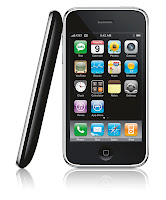
The iPhone looks gorgeous. It has a superb build quality, though for the price that it could not be opened, e.g. for battery exchange. The 5800 looks a lot cheaper.From all other sides, exept for the front with the touch screen, it does not differ from any phone which comes for free with your contract. In fact, it is more solid than it looks and also delivers a good build quality.
Rating: 5800: 3, iPhone: 5
System Software
Operating System
The iPhone runs Mac OS X, which is a BSD Unix based on a Mach Microkernel. So although it is relatively new on the phone, it is basically a very mature OS. It is a stripped down version of the same Mac OS, which is the main reason why people prefer Mac's over Wintel PC's. One big advantage on the Mac is, that it has got a great user interface, but you can always digg down to the OS level and customize in any way you like it. Though probably a major percentage of Mac users never did this, for power users like me it is very relaxing to know that it is possible. On the iPhone, Mac OS is completely different. It comes with a simplified UI with no chance of customizing anything to your needs. Though Mac OS X on the Mac does support multitasking, it is not possible to multi task user applications. According to Apple, this is only because multitasking would drain the battery too fast. Interestingly, every multitasking Symbian Phone offers a better battery life than the iPhone.Though the iPhone has a real file system, it is not accessible to applications. Every process can only access files in it's own directory. So it is not possible to start working on a file and then do something with them with a different application. The file system is also not available from the outside. It is not possible to copy some files from a connected computer to the iPhone. There are some apps, that allow to copy files via WLAN and a WebDAV server onto the phone. But then, the restriction that a program can only access it's own directory, applies. So if you want to use files in different formats on the iPhone, you need several programs, each implemented it's own WebDAV server and file store.
Symbian OS is the predecessor to the system running on the old Psion PDA's and is also a very mature OS. It offers true multitasking and supports SD and SDHC memory cards. A connected computer can have access to the phones file system and data can be exchanged via a micro SD card. The 5800 comes with a 8GB micro SDHC card, which could be exchanged with a 16 GB model. And as 32 GB cards are out now, it is just a matter of time until the 5800 will support them.
The important thing is: both phones can be used to synchronize photos, movies and audio files onto them and use them. A user does not care about where the files are kept in the file system, he event does not need to know what a file system is. But only on the 5800 it is possible to access them directly if the defaults do not fit your needs.
Rating: 5800: 5, iPhone:1
Phone Application
Both phones are coming with quite comparable phone applications, but there are differences in detail. The 5800 has dialing shortcuts on the numeric keypad, voice dial. In the phone book, the 5800 offers an incremental search. At the beginning, it shows all keys A-Z. After pressing the first letter key, it shows all matching contacts and removes all letter keys, which would not lead to a match. In my phone book with about 500 entries, it normally takes 2-3 key presses until I got the desired contact. Pressing the green key on the 5800 always leads directly to the phone app. Pressing the red key immediately ends the call. For ending a call on the iPhone, it takes a second after removing the iPhone from the ear, until the proximity sensor recognizes the situation, enables the display so the on screen button for ending the call can be touched.It is obvious to see, that Nokia has built years of experence into the 5800, making every day tasks quick and easy. The iPhone lacks many of these features, so it requires more UI navigation than the 5800 to get common tasks done.
Rating: 5800: 5, iPhone 2
Ringtones
The iPhone comes with a built-in ringtone. Music titles can be bought as ringtones in the iTunes music store. On a Mac, Garage Band can be used to build own ringtones, which could be in fact just titles from the music library cropped. I have never heard of another phone with such arbitrarily limitation.On the 5800, everything that can be played could also be used as a ringtone.
Rating: 5800: 5, iPhone: 2
On Screen Keyboard
Touch screen phones need an on screen keyboard. The iPhone only offers a keyboard in non-landscape mode. It only has letters on the main keyboard page. For punctation a different keyboard page has to be used. For special letters like German umlauts, the corresponding base latter has to be pressed for a few seconds and a popup menu with possible special characters appears. For writing with punctation and umlauts, this results in a significant lower writing speed than with the 5800. There is no tactile feedback on the iPhone. But iPhone OS 3.0 will come with a landscape keyboard for all apps from Apple.The 5800 gives the choice between three different keyboards. There is a classical 12 keys phone keyboard with T9 support, which might be suitable for short text entries. The 5800 also offers a full keyboard for non-landscape mode, though it is a little small. For longer text entries, the landscape mode keyboard is the best choice, with keys for umlauts and punctation. It also has cursor keys for navigation, so typos could easy be corrected. Optional, there is tactile feedback via the vibration alert. In summary, I could type a lot faster on the 5800 than on the iPhone.
Rating: 5800: 4, iPhone 2 (3 with OS 3.0)
UI Navigation
The UI of the iPhone is absolutely simple. The whole OS Interface consist of a programm launcher with 4*4 icons visible. There is a maximum of 9 pages (probably 11 with OS 3.0), which can be changed by flipping left and right. The bottom 4 program icons are on every page, these are the typically most needed ones. The iPhone UI isn't too complicated for anyone, even unexperienced users who never had a smartphone before, will get it immediately. But on the other hand, this is just an absolute minimum of functionality. There is no concept for distinguish between frequent ore seldom used apps, they are all on the same level except for the four apps on the quicklaunch bar.For switching between two applications, the only button has to be pressed to get back to the program launcher. Then the user has to flip to the page containing the second application and launch it. At worst case, this would mean if the apps are on page 1 and page 9, the first app is left by pressing the button, then the user has to flip the screen 8 times to the left or right, then start the 2nd app. For tasks, where it is necessary to interact with two applications, this can become quite annoying. But doing tasks with more than one app is nearly impossible on the iPhone anyhow. As every app can only interact with data in it's own memory space and there isn't even cut & paste (but will be in iPhone OS 3.0), I could not see how any task spanning more than one application could be done at the iPhone. This is a serious limitation, which no other smartphone OS has.
The iPhone is also inefficient in navigating from standby. When double-clicking the button for getting to the phone app in standby, the slide-to-unlock screen appears. The user now has to slide a button from left to right to unlock the phone. Now, it does not lead to the phone app as expedted, but to the application launcher. Now, the user has to double click again to finally get to the phone app.
Symbian also comes with a program launcher, which uses a folder concept instead of the pages of the iPhone OS. So the user could structure his applications in any folder structure he likes, giving him fast access to his most used apps on the top level. Seldom used programs could be hidden away in folders and do not distract on daily usage.
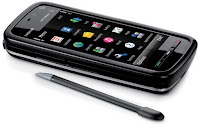
The white button in the middle leads to the program launcher, just like the iPhone button. But most of the time, users won't need the 5800's program launcher. The green key on the left directly starts the phone app, even is the 5800 is in standby. There is a media key above the screen, opening a quick start menu for music, photos, online sharing, movies and web browsing. From any application, the media brings you directly to the chosen app.There is even less need for the program launcher, if the today screen is used. It shows the calendar, now playing, radio information as well as the clock, status of the different networking functions and profiles. Everything on the today screen is touchable and leads to the corresponding app. Touching the next appointments section leads to the calendar. Touching the clock brings up the clock application. Everything is as you would expect. On top of the information area is a quick launch bar for your four favorite apps. But unlike the iPhone, which already uses it's quick launch bar for phone, mail, browser and media player apps, on the 5800 these four slots could be used for individual apps, because everything in the iPhone quick launch can already be accessed by the 5800' UI components.
Switching between running apps is easy, just press and hold the middle white key and a window pops up with the icons of all running tasks where the app can be chosen just by tapping on it. As Symbian supports multitasking, tasks which require more than one app are easy to do, eg. copy & past some data from an email into a web formular.
The 5800 has a lock/unlock key on the right side, which could easily used one handed. This is more usable than the iPhone's key press and then slide-to-unlock functionality.
Due to the size of the iPhone, it is hard hard to use it with one hand, and for the two finger gestures, two handed operation is a must. The 5800 is slim enough to hold it in one hand and operate it with the thumb. As the 5800 does not require two finger gestures, it is good usable with just one hand.
Rating: 5800: 5, iPhone: 1 (2 with OS 3.0 and Cut & Paste)
Customzation
The 5800 is very customizable. Like all other S60 phones, it supports profiles for different situations. Profiles take care of the volume level, which ringtone will be used, if there is tactile feedback and other things. For the look, different themes can be applied, and there is a huge number of themes out on the web. Themes do not only control the colors, fonts and background images, but could also contain icon sets for the default applications. I love to have a winter theme on my phone around christmas. The 5800 gives the user the choice of three different main screens. An empty one, one to follow the activities of up to four friends and the classical one with shortcuts to applications, upcoming calendar entries and some other notifications.On the iPhone, a startup screen image and the four quick launch applications can be configured.
Rating: 5800: 5, iPhone: 2
Today Screen
The first screen I want to see on my smartphone should show me relevant information and quick access to my most needed functionality. The 5800 offers me the classical S60 Today screen with upcoming calendar entries, clock, new messages and calls as well as quickstart icons to favorite apps, making it a perfect business smartphone. Additional, the media key gives me quick access to all my media as well as maps and the web. Unfortunately, the today screen of the 5800 is less customizable than the one from the E71. For users who are more Web 2.0 community users, the 5800 offers a different start screen, showing your favorite four contacts with their latest information from Email, SMS and RSS-feeds (which, of course, could post their latest facebook, Twitter etc. news).The iPhones central screen ist the list of startable apps. The phone and message or mail icons show the numbers of calls and messages, which prevents it from getting zero points.
Rating: 5800=4, iPhone=1
Audio Player
Now this is where the iPhone collects Points, as it is a complete iPod Touch which is close to perfection. But as it is a closed system like the iPod, it is not possible to connect it to any computer, copy some audio files onto it and play them. It is necessary to sync the music via iTunes and this is only possible from just one Computer. Before a music file could be synced from a different computer, iTunes would remove all existing media files from the device. This results in minus one point.
The 5800 has a quite usable media player and with Nokia Media Transfer it is easy to sync iTunes playlist with the device. Alternatively, nearly any audio file could be copied onto the device and just plays. But the player does not show iTunes cover art and does not sync the play counter.So additional to my 5800, I will keep my old iPod classic for my car. For business trips, the 5800 is a good enough media player to leave the iPod at home. With an iPhone, there is no need for an additional iPod.
Rating: 5800=3, iPhone=4
Video Player
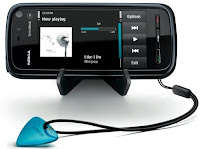
The video players of both phones do a very good job and are probably the best ones on any phones. But while the iPhone is very limited to MPEG4 and h.264 video, the 5800 plays much more formats like flv, wmv. Additional, just like the audio player, videos could be copied from any computer to the 5800 via bluetooth, USB or the memory card whereas the iPhone needs to sync videos via iTunes from just one computer. Syncing from a different computer will erase all video on the iPhone first.Rating: 5800: 5, iPhone: 3
PIM
Every smartphone comes with personal information management (PIM) software. The iPhone comes with a calendar app, which supports multiple calendars and push sync with mobile me and Exchange servers. There is no ToDo management on the iPhone, but there are many ToDo and GTD apps in the App Store and some of these sync to the corresponding desktop app – but only on the Mac. Entering a new calendar entry is a bit fiddly and requires to navigate through two dialogs. The date picker is nearly useless, because it is just finger friedly entry entry of numbers. But if you want to schedule a meeting for Monday in four weeks, you should know what date this is because you won't get a mini-calendar to pick it from. The iPhone comes with a notes taking app, but in iPhone OS 2.x these notes do not sync with the desktop. But this will change in OS 3.0. On the PC, the iPhone syncs with Outlook via iTunes. But this does not work very well. It takes long and it is not possible to see what it is doing. Sometimes the sync just hangs. Sometimes it finshes and some calendar entries are deleted without notice. On the Mac, sync runs perfect with Apple's iSync. In summary, the PIM functionality looks more like an addon, than an essential functionality.The 5800 comes with a calendar and ToDo as well as a notes taking app. It syncs perfect with Outlook on the PC via Nokia's PC Suite or OVI Suite and always gives detailed feedback as well as a detailed log at the end. It is faster than Apple's solution by an order of magnitude and very reliable. I never had the slightest syncing error on any device for years. Syncing on the Mac works through iSync without any problems. The 5800 syncs over the air via it's embedded sync application. For syncing with other calendars like the Mozilla Lightning, there is a bunch of 3rd party software to solve nearly every sync problem. Like the iPhone, the 5800 does not have a date picker. But the major drawback of all S60 phone calendars is, that there is only one calendar with no categories. Interestingly, Symbian OS does support calendar categories since Rel. 9.1 (the 5800 runs Symbian OS Rel. 9.4) and some 3rd party calendars make use of them. But S60.com ignores this much desired feature wish since years. Hopefully, the Symbian.org will support calendar categories.
Rating: 5800: 4, iPhone: 3
Web Browser
When the iPhone came out, it offered the best web browser available. It's only disadvantage is, that it does not support Flash. This is why the iPhone needs a YouTube application.The 5800's browser is based on the same WebKit rendering engine than the iPhone's. It seems to be a little slower than the iPhone's browser, but it supports Flash so YouTube could be used as on a desktop PC. It is even capable of full screen support for YouTube videos.
Rating: 5800: 4, iPhone: 4
Email client
Both phones are very good email devices. The built in email client of the iPhone is better than the 5800's email client, but is has no landscape support for the on screen keyboard. This will be enhanced with iPhone OS 3.0. Nokia is readying it's new email client Nokia Mail, which is our for several devices now and a version for the 5800 will follow soon. Until then, for about € 22,- the enhanced email client ProfiMail could fix this.Rating: 5800: 5, iPhone: 4 (5 with landscape support in OS 3.0)
Ecosystem
Application Support
Apple has just announced 25.000 apps available on the AppStore. With the AppStore app, it is extremely easy to load new applications onto the phone. iPhone apps are cheap, but most of them are very simple. But Apple unfortunately restricts the capabilities: Apps can only be distributed through Apples AppStore, download is only allowed from WLAN but not from 3G networks and not every app is allowed by Apple. When I buy a phone, I own it. I want to install whatever software I like and do not want to ask the manufacturer for allowance. This results in one point penalty.Without having them counted, there are thousands of applications for Symbian S60 and there are some good application stores like mobile2day and Handango. There is also a huge amount of software available directly from the developers sites. Installation is easy from both, Mac and PC. And Software could also be directly downloaded from the Device. The iPhone way is easier, but the Symbian way is more flexible. In the end, both are rated the same. But Nokia has announced it's own application store, called Ovi Store, for the next months. This would give Symbian users an easy solution like Apple's, and also maximum flexibility for power users.
Rating: 5800: 4 (5 with Ovi Store), iPhone 4
Development Environment
I have never tried it, but the iPhone SDK is said to be close to perfection. One drawback might be, that it is only available for the Mac. This is no problem for me, as the Mac is my preferred platform anyway, but for someone who don't like Macs this could be an issue. Another thing is, that it is build upon ObjectiveC, whereas the rest of the world uses C++.The Symbian S60 5th Ed. SDK is based on Eclipse, which is definitely the industry standard. There is a huge amount of plugins for Eclipse to enhance developers productivity. It is still work in progress, but very promising. Additional, Nokia bought Trolltech, the makers of Qt toolkit which is the basis of the KDE Linux desktop. There is also a beta of Qt for S60 and some demo movies, showing how easy S60 development will become. When this comes out, it could catch up with the iPhone's SDK, as Trolltech is very experienced with UI development. The S60 SDK is only available for Windows, but Qt is available cross platform for Windows, Linux and the Mac. And it is based on C++
Rating: 5800: 3 (4 with Qt), iPhone: 4
Car integration
In my car, I have a TomTom navigation device, an iPod and a phone. This makes my car cockpit into a zoo of device mounts, which I would like to get rid of. If you are a moderate navigation and audio player user, all you would need is the 5800. Nokia Maps 2.0 is good enough for users, who only need a navigation system from time to time. Target entry is complicated compared to pure navigation devices and it lacks enhanced features like TomTom's MapShare or IQ-Routes. So for my car, I will keep my TomTom, which really saves me time with its perfect IQRoutes routing. But several times on business trips, when the car rental service could not give me a car with built in GPS, Nokia Maps saved my day and brought me to my destination. And Nokia Maps 3.0, the public beta is already out, has some nice enhancements like 3D view. But there is no good car mount for the 5800, and because the headphone jack and power are on the top side of the device, there probably won't be one. There is a Brodit mount for the 5800, but after inserting the device, a power cable has to be connected manually. And if you want it as an audio player, you need additionally connect an audio cable. If Nokia would just have placed the connectors on the bottom of the device, a mount where the 5800 would be just dropped in, could be made.The iPhone has a connector on the bottom, which has an audio signal and could also be used for charging. So if you just want it as a phone, there are iPhone mounts from many car makers, e.g. my Volkswagen has an iPhone adaptor. If the iPhone should be used as a music player, these, car makers also offer audio systems which connect to the iPhone. If your car does not offer iPhone integration, an additonal 3,5 inch cable could do the connection. A cheap alternative is a simple mount like the Belkin TuneBase, which connects via 3,5 inch or via FM transmitter. But the acutal iPhone does not offer turn-by-turn navigation, so an additional device is needed for navigation. This will probably change with iPhone OS 3.0.
Rating: 5800: 3, iPhone: 4 (5 with OS 3.0 and turn-by-turn navigation)
iTunes Integration
As the iPhone is an iPod with a Phone, the iPhone integration is just perfect. Period. It is clear, that the iPhone is the winner in this section, but the question is, how close the 5800 – positioned by Nokia as a music phone – can get. For the Mac, Nokia offers Nokia Media Transfer, a small application which syncs iTunes playlists with the 5800, both audio and video. It also syncs iPhoto albums with also both, photos and videos. This works seamlessly. Once configured, it syncs the media as soon as it finds the 5800 connected to the Mac. It is nearly as close as one can get, exept for Apple. Of course, the 5800 does play Music with Apple's own DRM, because Apple does not license it to anyone. But as Apple is getting rid of Music DRM, offering its customers to upgrade their music to a DRM free version, this won't be an issue anymore in the near future.But there are a few other drawbacks. Album cover art does not show up on the 5800 for music synced from iTunes. There are AppleScript's to manually fix this, but this definitely should be a featrue for Nokia Media Transfer. Some iTunes specific fields, like rating or play counter also do make it on the 5800. It should not be too hard for Nokia to implement these on the 5800. So with a little work from Nokia, the 5800 could easily catch up to the iPhones and iPods.
Rating: 5800: 3, iPhone: 5
Online services
Both Nokia and Apple are offering online services supporting their hardware. I prefer the cleaner UI of Apple's mobile me, but Nokia's Ovi.com is faster – at least here in Europe. Basic services like email, calendar, todo, notes, photo and video upload is free on Ovi.com. Apple charges € 69,95 a year, but it comes with 20 GB of online storage. as If you want an online file store on Ovi.com, Nokia will charge € 49,95 for 10GB or 99,95 for 100 GB a year. Both are comparable to Amazon S3 pricing, which would be € 43,20 for 20 GB per year, but with additional costs for data transfer.But as most of both offerings are available for free on the web anyway, except for file storage, there is the question of what these online services are good for. A combination of Gmail, Google Calendar, Flickr and YouTube will do the job for free. But maybe users with no experience in online services will be happy to have an easy way to share their fotos online and have some email access.
Rating: 5800: 3, iPhone: 3
Newsreader sync
An important aspect of a newsreader on a phone is, that it need's to sync with the desktop news reader, or it needs to be a complete online solution. Google made a special version of Google Reader for the iPhone, which also runs on the 5800. I prefer Newsgator and it's clients NetNewsWire on the Mac and FeedDemon on Windows, which sync with Newsgator.com. There is a NetNewsWire for the iPhone on the App Store. For the 5800, there is only NewsGator Go!, which is a Java app that does not make use of the 5800's screen.Rating: 5800: 4, iPhone: 5
Apple TV integration
This point probably means nothing to most readers. But I like my Apple TV for getting all my music, pictures and movies to my stereo set and my TV. The iPhone is a perfect remote control for the Apple TV. The music library can be browsed on the iPhone including cover art and it is possible to control the Apple TV without switching on the TV set connected to it.On the other hand, for the price difference between the iPhone and the 5800, one could easy afford an iPod Touch as Apple TV remote control. The combination of 5800 and iPod Touch is still cheaper than an iPhone. And this seperate iPod could also be used by my family when I am out with my phone.
Rating: 5800: 0, iPhone: 5
Value for money
Price
At about € 590,- for an unlocked iPhone 8 GB (about 690,- for the 16 GB version) it is just expensive, especially when considering the iPhone's low hardware specs. The 5800 comes for about € 330 with 8 GB of memory on an mini SDHC card, for about € 40,- it could be upgraded with a 16 GB card. This is even cheaper than most HTC Windows mobile phones or the Android G1.Rating: 5800: 5, iPhone: 1
Inside the box
The iPhone comes just with a set of cables to connect to a computer and a power supply. Oh, and with a cleaning cloth. Especially considering it's price, this is a joke. There is no remote control on the headset, but Apple offers a headset with a remote control knob at an absurd price.The 5800 also comes with connection cables for a computer and a power supply. It also has a TV out cable, so it can be used as movie player or game console on travels. Additional to that, it comes with a nice horizontal stand, ideal for watching movies in a plane, with a solid case and with a combined headphone adapter and remote control. This makes it possible to use your favorite headset with the 5800 and still have the remote control features. To make the bundle complete, there is a € 25,- coupon for Nokia's music store in the box and the 5800 comes with 9 preinstalled music titles.
Rating: 5800: 5, iPhone 1
Summary
Actual Releases | Coming Releases | |||
5800 | Iphone | 5800 | iPhone | |
Hardware | ||||
Display | 5 | 5 | 5 | 5 |
Camera | 3 | 1 | 3 | 3 |
Speakers | 5 | 3 | 5 | 3 |
Battery | 4 | 1 | 4 | 1 |
Build Quality | 3 | 5 | 3 | 5 |
∑ Hardware | 20 | 15 | 20 | 17 |
System Software | ||||
System features | 5 | 1 | 5 | 1 |
Phone App | 5 | 2 | 5 | 2 |
Ringtones | 5 | 2 | 5 | 2 |
On Screen keyboard | 4 | 2 | 4 | 3 |
UI Navigation | 5 | 1 | 5 | 2 |
Customization | 5 | 2 | 5 | 2 |
Today Screen | 4 | 1 | 4 | 1 |
Audio Player | 3 | 4 | 3 | 4 |
Video player | 5 | 4 | 5 | 4 |
PIM | 4 | 3 | 4 | 3 |
Web Browser | 4 | 4 | 4 | 4 |
Email | 5 | 4 | 5 | 5 |
∑ System Software | 54 | 30 | 54 | 33 |
Ecosystem | ||||
Application Support | 4 | 4 | 5 | 4 |
Development Environment | 3 | 4 | 4 | 4 |
Car Integration | 3 | 3 | 3 | 5 |
Itunes integration | 3 | 4 | 3 | 5 |
Online Services | 3 | 3 | 3 | 3 |
Newsreader sync. | 4 | 5 | 4 | 5 |
Apple TV integr. | 0 | 5 | 0 | 5 |
∑ Ecosystem | 20 | 28 | 22 | 31 |
Value for money | ||||
Price | 5 | 1 | 5 | 1 |
Add On's | 5 | 1 | 5 | 1 |
∑ Value for money | 10 | 2 | 10 | 2 |
Actual Releases | Coming Releases | |||
5800 | IPhone | 5800 | iPhone | |
Hardware Total | 20 | 15 | 20 | 17 |
Software Total | 54 | 30 | 54 | 33 |
Ecosystem Total | 20 | 28 | 22 | 31 |
Value Total | 10 | 2 | 10 | 2 |
∑ | 104 | 75 | 106 | 83 |
The result is a little surprising. I expected the iPhone to win hands down, especially as this comparison is biased towards an iPhone fanboy like me. But in the end, the 5800 is the clear winner. Even the coming next generation iPhone will only get a very little step closer to the 5800 – at least considering what is known by now.
If you are not using the Apple ecosystem with Macs, iTunes, Apple TV's and mobile me, the iPhone would score even lower. And even if the price is not taken into comparison, the 5800 leads by a large margin. Though both phones are quite comparable in the hardware and ecosystem area, the big difference is the system software. And this is where it pays to be the market leader in the smartphone business for many years. Apart from the newly added touch functionality, Symbian OS and S60 have been fine tuned in many years.
Apple has still a way to go to reach Nokia's level of productivity, but they are learning fast. The preview of iPhone OS 3.0 has shown, that they are already in the same fine tuning process, Nokia has gone through. Nokia, on the other hand, catches up in system experience, adding a music store, an online service and better developer tools.
In the end, the winner is: the customer. In this race, both contenders will deliver even better products in short intervals. Hopefully, this fall I will update this comparison to the iPhone 3.0 vs Nokia N97 shootout.
Abonnieren
Posts (Atom)


